

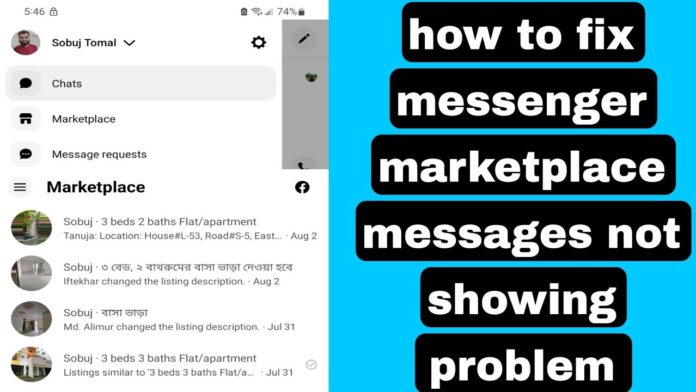
In the bustling digital marketplace of Facebook, where buying and selling have become second nature for countless users, clear communication is essential. Yet, even in this vibrant ecosystem, the occasional hiccup can occur—messages can go missing, leaving buyers and sellers in a state of confusion. This predicament can disrupt deals and lead to missed opportunities, causing frustration for both parties involved.In this article, we will explore practical troubleshooting tips to help you navigate the sometimes murky waters of missing Facebook Marketplace messages. Whether you’re a seasoned seller or a first-time buyer, our guide aims to equip you with the knowledge to resolve these issues swiftly and effectively, restoring the smooth flow of communication in your online transactions. Let’s dive in and discover how to regain control of your Marketplace experience!
Understanding the Problem: Identifying missing Messages on Facebook Marketplace
When using Facebook Marketplace, users often encounter issues with missing messages that can complicate transactions. This can lead to frustration, especially when trying to communicate with potential buyers or sellers. Understanding the root causes of these missing messages is crucial. Frequently enough, the issue may stem from simple oversights such as filters set on the chat function, where messages could be directed to the Spam folder, or due to app glitches that may prevent notifications from appearing instantly. Additionally, changes in your account privacy settings might also limit visibility to certain messages.
To effectively identify and resolve these missing messages, consider the following tips: make sure to check your spam folder frequently, as it’s easy to overlook messages that have been filtered out. Review your notification settings within the app to ensure that alerts for new messages are enabled. Furthermore,updating the Facebook app is essential as updates often fix bugs that can lead to functionality issues. If you’re still unable to locate messages, clearing the app’s cache or reinstalling the app itself may help restore its proper performance.
Common causes of Disappearing Messages and How to Spot Them
When it comes to troubleshooting missing messages on Facebook Marketplace, understanding the common culprits can substantially streamline the resolution process. There are multiple reasons why messages may seem to have disappeared, including issues related to account settings, poor internet connections, and more. Check your internet connection to ensure it’s stable; a weak connection can result in incomplete loading of your messages. Additionally, verify your notification settings, as these can inadvertently suppress alerts for incoming messages, leading to confusion about whether you’ve received any new inquiries.
Another factor to consider is the possibility of accidental deletion.It’s all too easy to mistakenly delete messages, especially during routine cleaning. If you’re using the mobile app, keep an eye out for a glitch where messages may not display properly. To better manage your messages,utilize the built-in search function to filter conversations by specific keywords or sellers. Below is a simple table that captures some quick checks to perform:
| Check | Action |
|---|---|
| Internet Connection | Ensure wi-Fi or data is enabled and stable. |
| Notification Settings | Verify that you’re receiving notifications from Facebook marketplace. |
| Message Search | Use the search feature to locate specific messages. |
| App Updates | Check for any updates in your app store to fix potential bugs. |
Checking Your Internet Connection: A Simple Yet Effective Step
Before diving into more complex troubleshooting steps, it’s wise to first ensure that your internet connection is stable. A slow or intermittent connection can frequently enough cause messaging issues on platforms like Facebook Marketplace. To check your connection, you can perform the following quick tasks:
- Run a speed test: Use a reliable online speed test tool to gauge your current internet speed. This will help you determine if your connection is performing at an optimal level.
- Restart your router: Sometimes, a simple restart can revitalize your connection. Unplug your router, wait for about 10 seconds, and than plug it back in.
- Check your Wi-Fi signal strength: Make sure you are within a good range of your router. Weak signals can lead to dropped messages.
- Switch devices: If possible, test the Marketplace messages on a different device to see if the problem persists, indicating a connection issue.
Additionally, you can troubleshoot your connection through the device settings. If you’re using a smartphone or tablet, ensure that your Wi-fi is turned on and you are connected to the correct network. For desktop users, checking the Ethernet cable for any lose connections can also be beneficial. To help visualize the possible connection states, take a look at the table below:
| Connection State | Action Required |
|---|---|
| Connected, good Speed | No action needed; proceed to other troubleshooting steps. |
| Connected,Slow Speed | Consider resetting router or contacting your ISP. |
| Not Connected | Reconnect to your Wi-Fi or plug in Ethernet cable. |
Exploring App Settings: Ensuring Notifications and Permissions Are Enabled
To ensure that you receive all your important messages from Facebook Marketplace, it is essential to verify that notifications and permissions are set correctly within the app settings. Here’s how you can do just that:
- Check Your Notification Settings: navigate to the app settings on your device. Under the notifications section, confirm that all relevant options for Facebook Marketplace are enabled. This typically includes sound alerts, banner notifications, and badges.
- Review app Permissions: Ensure that Facebook has the necessary permissions to run optimally on your device. This may involve checking your device’s settings to verify that the app can access your notifications, contacts, and background data.
A simple way to organize your findings about settings is to create a reference table. This can clearly present what permissions your app might need and why each one is important:
| Permission | Importance |
|---|---|
| Notifications | Alerts you to new messages in real time. |
| Contacts Access | allows easy communication with saved contacts. |
| Background Data | Enables the app to send notifications even when not actively in use. |
Clearing Cache and Data: Refreshing Your Facebook Marketplace experience
If you’re experiencing issues with missing messages on Facebook Marketplace, one effective step you can take is to clear the cache and data of the Facebook app. This process can definitely help eliminate temporary files that might potentially be causing glitches or performance issues. Follow these simple steps:
- For Android: Go to Settings > Apps > Facebook > Storage and then tap on Clear Cache and Clear Data.
- For iOS: Open Settings > General > iPhone Storage > locate Facebook, then select Offload App and reinstall it from the App Store.
Onc you’ve cleared the app’s cache and data, launch the Facebook app again to see if the missing messages reappear. This method often acts like a refresh button, allowing the app to create new data from a clean slate. Here’s a quick table summarizing the benefits of clearing cache and data:
| Benefits | Description |
|---|---|
| Improved Performance | Removes unwanted temporary files, enhancing app speed. |
| Bug Fixes | Addresses potential glitches related to outdated data. |
| free Storage | Clears up space on your device, leading to more available memory. |
Using the Web Version: Bypassing App Glitches for Reliable Access
When you’re grappling with persistent app glitches, turning to the web version of Facebook can provide a smooth choice. Accessing Facebook through a browser not only offers an uncluttered experience but also often circumvents issues like missing Marketplace messages. Here are some advantages of utilizing the web platform:
- Stable User Interface: The web interface tends to be more consistent, which may decrease the likelihood of glitches hindering your communication.
- Up-to-Date Notifications: Browsers may refresh more effectively than apps, ensuring you get the latest messages in real-time.
- easier Troubleshooting: Issues can be diagnosed more rapidly as you can clear your cache and cookies from your browser settings.
Moreover, utilizing the web version opens up a variety of troubleshooting tools that you may not easily access via the mobile app. Here’s a quick comparison of what you can do:
| Feature | App | Web |
|---|---|---|
| Cache Management | Limited Options | Full Control |
| Responsive Layout | Can Lag | Fluid and Adjustable |
| Notifications Sync | Inconsistent | Real-Time Updates |
Contacting Facebook Support: Effective Communication for Swift Resolutions
When facing issues with missing Facebook Marketplace messages, effective communication with Facebook Support is crucial for swift resolutions. Begin by gathering all pertinent details related to your issue, as this will help streamline your conversation with support representatives. prepare a brief summary of the problem, including relevant timestamps, marketplace listings, and screenshots, if possible.This enables the support team to better understand your situation and expedite their investigative efforts. always remain polite in your communication as amicable interactions often yield quicker resolutions.
To maximize your chances of receiving a prompt response, consider submitting your concerns through multiple channels. Here are some effective communication methods to deploy:
- Help Center: Visit the Facebook Help Center for common troubleshooting guidelines.
- Chat Support: Use the live chat feature if available,as this allows for real-time interactions.
- Support Inbox: Check your Support Inbox regularly to view updates about your reports.
- Social Media: Reach out via Facebook’s official Twitter account for urgent inquiries.
| Method | Response Time |
|---|---|
| Email Support | 1-2 buisness days |
| Live Chat | Immediate |
| Support Inbox | Varies |
| Social Media | 1-3 hours |
Staying Updated: The Importance of Regularly Updating the Facebook App
In the fast-paced world of social media, staying ahead means keeping your applications up to date. Regular updates to the Facebook app bring not only security improvements but also bug fixes and new features that enhance user experience. By ensuring you’re using the latest version, you can take advantage of streamlined navigation, improved messaging systems, and enhanced marketplace functionalities. Each update is designed to help eradicate glitches that may cause missing messages, allowing for a smoother transaction process when buying or selling items.
Moreover,outdated apps can lead to compatibility issues with newer features,which may ultimately hinder your ability to fully engage with the marketplace.To make sure you’re always in the loop, consider enabling automatic updates on your device. Here are some key reasons to focus on updating your Facebook app:
- Enhanced Security: Protect your personal information by utilizing the latest security protocols.
- Improved Performance: Experience faster loading times and reduced app crashes.
- Access to New Features: Discover the latest tools designed to enhance your Facebook interactions.
- Bug Fixes: Resolve existing issues,such as missing marketplace messages,with each update.
Preventive Measures: Best Practices to Avoid Future message Issues
To ensure smooth communication on Facebook Marketplace and prevent missing messages in the future, consider implementing the following best practices:
- Regular App Updates: Keep your facebook app updated to benefit from the latest features and bug fixes that enhance messaging performance.
- Notification Settings: Adjust your notification preferences to ensure you receive timely alerts for new messages.
- Check Spam and Filters: Periodically review your spam folder and any filters set up in your messaging settings, which might inadvertently hide critically important conversations.
- Clear Cache: Regularly clear the cache of your Facebook app to improve its performance and address any lag in message delivery.
- Device Compatibility: Ensure that your device is compatible with the latest version of the Facebook app for optimal functionality.
Creating a dedicated space for managing your Marketplace communications can also be beneficial. Here’s a quick overview of essential actions:
| Action | Description |
|---|---|
| Consolidate Messages | Keep all Marketplace messages in a single thread to avoid confusion and ensure nothing is overlooked. |
| Set Reminder Alerts | Utilize reminders for pending responses,making it easier to keep tabs on conversations. |
| Log Out Regularly | Log out and back in periodically to refresh your connection and ensure all messages load correctly. |
Q&A: Troubleshooting Tips for Resolving Missing Facebook Marketplace Messages
Q1: Why are my Facebook Marketplace messages missing?
A: There are several potential reasons your messages might be missing. These can range from accidental deletion,issues with your internet connection,to bugs or glitches within the Facebook app itself. Additionally, if you’ve recently changed your privacy settings or logged out of your account, it could affect how messages appear.
Q2: How can I check if I’ve accidentally deleted messages?
A: Start by searching for the conversation in your Facebook Messenger. Use the search bar at the top to type in the name or keywords related to the chat. If you’ve deleted the message, it won’t appear in the search results.Be sure to check your archived messages as well. Sometimes, conversations can be archived rather than deleted.
Q3: What should I do if I am unable to load messages due to app glitches?
A: First, try closing and reopening the Facebook app. If that doesn’t work, check for any updates available in your app store and install them. Restart your device to refresh its system. If problems persist, consider uninstalling and then reinstalling the app, which frequently enough resolves persistent glitches.
Q4: Are there steps I can take to improve connectivity issues affecting my messages?
A: Absolutely! Make sure you have a stable internet connection by checking your Wi-Fi or mobile data. consider moving closer to your router or toggling Airplane mode on and off to refresh your network connection. If you’re using mobile data, ensure that you have not exceeded any data limits that could result in throttled speeds.
Q5: Could my privacy settings block access to my marketplace messages?
A: Yes, privacy settings can affect your messaging experience.Navigate to your account settings, select “Privacy,” and review who can send you messages. Ensure that your settings allow for communication from Marketplace buyers and sellers. Sometimes, tighter privacy settings can hinder visibility to expected messages.
Q6: What if I still can’t see my messages after trying these tips?
A: If you’ve attempted all the outlined solutions without success, it may be time to contact Facebook Support for further assistance.Go to Facebook Help Center for reporting issues. Provide as much detail about your problem as possible to help them assist you effectively.
Q7: Is there a way to prevent losing messages in the future?
A: To avoid future issues with missing messages, regularly back up important conversations by taking screenshots or copying pivotal information to a note-taking app.Consider checking your message settings occasionally to ensure everything is configured as you desire. Staying organized can definitely help mitigate any potential loss of communication.
—
With these troubleshooting tips and insights, you should be well-prepared to tackle the issue of missing Facebook Marketplace messages. Remember that technology can be fickle, but with a bit of patience and the right steps, you can often get things back on track!
navigating the intricacies of Facebook Marketplace can sometimes feel like piecing together a puzzle, especially when messages seem to vanish into thin air. However, armed with these troubleshooting tips, you can reclaim your communication channel and ensure that you stay connected with potential buyers and sellers. Remember,whether it’s checking your app settings,ensuring notifications are enabled,or simply refreshing your browser,small adjustments can make a meaningful difference. with a little patience and perseverance, you can turn frustration into successful transactions on this bustling platform. Happy trading, and may your Marketplace experience be smooth and fruitful!
