

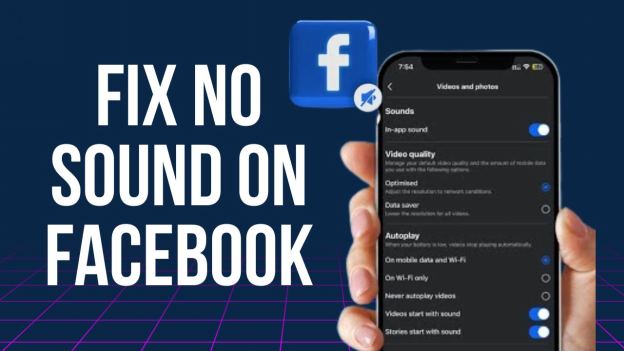
In our hyper-connected world, staying in touch through social media has become an essential part of our daily lives. Among the myriad of platforms, Facebook holds a special place, serving as a virtual hub for news, entertainment, and community engagement. Yet, there’s nothing more frustrating than discovering that your favourite videos or live streams are devoid of sound—an invisible barrier that can turn an engaging experience into a silent slog. Fear not; you’re not alone. Many iPhone users encounter sound issues with the Facebook app, leaving them puzzled and searching for solutions. In this thorough guide, we’ll walk you through each step to troubleshoot and resolve those pesky no-sound problems, ensuring that you can fully enjoy everything Facebook has to offer, once again. Let’s dive in and turn up the volume on your social media experience!
Understanding the silent Scroll Phenomenon in Facebook
The silent scroll phenomenon on Facebook occurs when users scroll through their news feeds or watch videos without any sound, leading to a frustrating experience. This can be attributed to various settings and glitches within the app or the device itself. Understanding how these factors interplay can aid users in troubleshooting the issue effectively.Key reasons for silent scroll may include:
- Volume Settings: The iPhone’s volume might potentially be muted or set too low, causing no audio to play.
- Mute Feature: Facebook has a built-in mute toggle for videos that can often be overlooked.
- App Bugs: Temporary glitches or bugs in the Facebook app can interrupt sound functionality.
- Device Updates: An outdated app or operating system might lead to compatibility issues.
Troubleshooting this phenomenon involves a few simple steps. Start by checking your device’s volume settings and ensuring that the mute toggle is off. Following this, delve into the Facebook settings to confirm that video sounds are enabled. If problems persist, consider reinstalling the app or checking for updates that might resolve underlying issues. Refer to the table below for a swift overview of troubleshooting steps:
| Step | Action |
|---|---|
| 1 | Check iPhone Volume |
| 2 | Toggle Facebook Video Sound |
| 3 | Reinstall Facebook App |
| 4 | Update iOS or Facebook App |
Common Causes of No Sound Issues in the Facebook App
The absence of sound while navigating the Facebook app can often be traced back to a handful of common culprits. First and foremost, your device’s volume settings may be unintentionally muted or set to a low level. Its essential to check not just the overall volume but also the media volume, which can be adjusted separately. Another common issue arises from the Do Not Disturb mode; when activated, this feature silences notifications and media sounds. A quick glance at your settings can confirm whether this mode is interfering with your Facebook experience.
Additionally, app-specific settings should not be overlooked. It’s possible that your in-app sound settings are turned off, rendering all audio muted. Make sure to delve into the app settings under the Facebook menu to verify this. Lastly, conflicts with Bluetooth devices can also be a reason for silence; if your iPhone is connected to Bluetooth headphones or speakers, sound may redirect to those devices. To troubleshoot, try disconnecting and reconnecting your Bluetooth devices to see if that resolves the issue.
Initial Troubleshooting Steps for Immediate Sound Recovery
To quickly address sound issues in the Facebook app on your iPhone,start with these straightforward checks:
- Volume Settings: Ensure your device’s volume is turned up. Use the physical buttons on the side of your iPhone to adjust the sound level.
- Silent Mode: Confirm that your iPhone isn’t in silent mode. Check the switch on the left side of your device to toggle sound.
- Settings Check: Navigate to settings > Sounds & Haptics to verify that all volume sliders are set appropriately.
- App Permissions: Go to Settings > facebook and ensure that the app has permission to play sound.
If the issue persists, take a look at the following steps to further diagnose the problem:
- Restart the App: Close the Facebook app completely and then reopen it to eliminate any temporary glitches.
- Device Restart: Restart your iPhone to refresh all system processes, which may resolve sound-related issues.
- Software update: Check for any available updates for both your iPhone and the Facebook app, as bugs often get addressed in newer versions.
- Network Connection: Make sure you have a stable internet connection,as sound may not work well on fluctuating networks.
Adjusting Your Device Settings for Optimal Audio Output
To ensure that your audio experience on Facebook is uncompromised, start by diving into your iPhone’s Settings. Here are some essential adjustments you can make:
- Volume Level: Check that your device’s volume is turned up. You can do this by pressing the Volume Up button on the side of your iPhone.
- Mute Switch: Ensure the Ring/Silent switch is not set to silent. The orange indicator means it’s muted.
- Sound Settings: Navigate to Settings > Sounds & Haptics and adjust the Ringer and alerts slider to a comfortable level.
- Bluetooth Devices: If you have Bluetooth devices connected, make sure they are functioning properly and are the selected audio output.
Next, consider reviewing the Facebook app’s settings directly. Here’s how:
- Notifications: Go to Settings > Notifications > Facebook and ensure all audio notifications are enabled.
- App Permissions: Check that the Facebook app has the necessary permissions to access audio outputs. You can check this under Settings > Privacy > Microphone.
- Background App Refresh: Enable this under Settings > General > Background App Refresh to allow the app to run effectively in the background.
Checking App Permissions: Ensuring Sound Accessibility
Ensuring that your Facebook app has the appropriate permissions can significantly enhance your experience by allowing sound to function correctly. Begin by navigating to settings on your iPhone,then scroll down to find the Facebook app in your list of installed applications. Tap on it to view the permissions. Confirm that the following permissions are enabled, as they are crucial for sound functionality:
- Microphone: Allows the app to access sound input when creating videos or voice messages.
- Media Library: Permits access to audio files stored on your device that you may want to share.
- Background App Refresh: ensures the ios-a-step-by-step-guide-to-get-you-back-on-track/” title=”… Facebook SDK Integration Issues on …: A …-by… to Get You … on Track”>app runs smoothly in the background, which can definitely help with audio playback.
After verifying the permissions, it’s also a good idea to check your device’s overall sound settings.Make sure your ringer is on and that the Silent Mode switch is off. To provide a clearer view, refer to the table below, which summarizes the necessary steps you should follow:
| Step | Action |
|---|---|
| 1 | Open iPhone settings |
| 2 | Scroll to and select Facebook |
| 3 | Check Microphone, Media library, and Background App Refresh permissions |
| 4 | Ensure Ringer is on and Silent Mode is off |
Updating the Facebook App for Enhanced Performance
To ensure a smoother experience while resolving sound issues in the Facebook app on your iPhone, it’s crucial to keep the app updated. Updates often come with patches that fix bugs and enhance overall performance. To update the Facebook app, simply follow these steps:
- Open the App Store on your iPhone.
- tap on your profile icon in the top right corner.
- Scroll down to the Available Updates section.
- If the Facebook app appears,tap Update next to it.
- wait for the app to finish updating, then reopen it to see if the sound issue persists.
Aside from updating the app, take time to check your settings within Facebook as well as on your device. Sometimes, sound issues are linked to permissions or settings that need adjustment. Consider reviewing the following:
| Setting | Status |
|---|---|
| App Sound Settings | 🔊 On |
| iPhone Volume Levels | 💬 Set to Appropriate Level |
| Background App refresh | ✅ Enabled |
| App Notifications | 🔔 Allowed |
Exploring Hardware Solutions for Persistent Sound Problems
when dealing with sound issues on your iPhone, especially with apps like Facebook, it’s crucial to consider hardware factors that might be at play. Begin by checking your device’s physical buttons. Ensure the mute switch is properly set to the “ring” position and examine the volume levels. additionally, inspect the headphone jack if you’re using wired headphones; dirt or debris coudl prevent proper connections. If you’ve recently dropped your device, it’s possible that internal components related to audio output have been dislodged.
Another area to explore is the speaker itself. Run a quick diagnostics check by playing audio from different sources, such as music or videos, to determine if the problem is with the Facebook app or the hardware. If sound issues persist, consider a few additional troubleshooting steps: clean the speakers using a small brush, check for any software updates that might indirectly affect hardware performance, and perform a hard reset on your iPhone.Lastly, if all else fails, visiting an authorized service provider may reveal hidden hardware issues that require professional attention.
Community Insights: What Other Users Have found Effective
Many users have discovered varying methods to resolve sound issues in the Facebook app on their iPhones. Here are some tips that have proven effective:
- Force Quit the App: Sometimes a simple restart can resolve audio glitches. Double-tap the home button and swipe up on the Facebook app.
- Check Volume Settings: Ensure that your iPhone’s ringer is on and the volume is turned up.Sometimes the device might potentially be muted by mistake.
- Toggle the Mute Switch: Flip the mute switch back and forth, which can be a quick remedy for sound-related issues.
- Turn Off Bluetooth: Many users found that disabling Bluetooth solved sound problems, especially if an audio device was previously connected.
Along with these tips, users recommend updating the app regularly, as new releases often contain bug fixes for existing issues. Below is a summary of the most common solutions shared by the community:
| Solution | Description |
|---|---|
| Force Quit | Swipe up to refresh the app. |
| Volume Check | Ensure the ringer is on and volume is up. |
| mute Switch | Toggle to reset audio settings. |
| bluetooth Disable | Disconnect any Bluetooth devices. |
When to Seek Professional Help for Ongoing Issues
If you have diligently followed all troubleshooting steps and the sound issues persist,it may be time to consider reaching out for professional assistance. Sometimes, the problem may stem from deeper software conflicts or hardware malfunctions that require technical expertise.Assessing your situation is crucial; here are some signs that indicate professional help might be necessary:
- Your iPhone’s sound issues remain unresolved despite multiple attempts to fix them.
- You notice other unrelated issues emerging on your device.
- Your iPhone has been recently exposed to moisture, drops, or physical damage.
In these cases, seeking help from a specialist or visiting an Apple Store may provide clarity and resolve the sound issues more effectively. When you do decide to seek professional advice, it’s advisable to prepare a list of what you’ve already tried. This can streamline the troubleshooting process. here’s a simple table of things to bring along:
| Item | Purpose |
|---|---|
| Device | To examine the hardware directly |
| List of Troubleshooting Steps | To inform the technician of your attempts |
| Warranty/Service Facts | To check eligibility for repairs or replacements |
Q&A: Silent Scroll - Fixing No Sound Issues in the Facebook App on Your iPhone
Q: What is Silent Scroll?
A: Silent Scroll is a term we’re using to describe the frustrating experience of browsing through the Facebook app on your iPhone only to find that there’s no sound accompanying the videos and posts. This guide is specially designed to help you troubleshoot and resolve these sound issues.
Q: Why is there no sound in my Facebook app?
A: There could be several reasons for this. it might be a simple setting like your phone being on silent mode, an app-specific issue, or even a problem with your iPhone’s audio settings.
Q: What should I check first if I experience no sound?
A: Start with the basics: check if your iPhone is in silent mode. If you see an orange line on your ring/silent switch, flip it back to the ring position.
Q: What if the silent switch doesn’t solve the problem?
A: Next, check your volume settings.Make sure the volume is turned up by using the volume buttons or going to Settings > Sounds & Haptics.
Q: do I need to check my Facebook app settings?
A: Absolutely! Within the Facebook app, tap on the menu icon and go to Settings & Privacy > Settings. look for the “Videos and Photos” section and ensure that “Auto-Play” is set up to play sounds in videos.
Q: What if the sound still isn’t working after these checks?
A: You might want to restart the app.Simply swipe it up from the app switcher and then reopen it. If that doesn’t work, try restarting your iPhone.
Q: How do I restart my iPhone?
A: For iPhones with Face ID, press and hold the side button and volume up or down until the sliders appear. For older models, hold the side or top button until the slider appears. Slide to power off and turn it back on after a few seconds.
Q: Are there any advanced troubleshooting steps I can take?
A: If the sound is still elusive, consider updating the Facebook app. Go to the App Store, check for updates, and install if necessary. Additionally, make sure your iPhone’s iOS is up to date under Settings > General > Software Update.
Q: What if none of these steps work?
A: If you’re still experiencing silent scrolling, you might want to reinstall the app. Delete it from your iPhone, then download it again from the App Store.
Q: Should I reach out for further help?
A: Yes! If sound issues persist, contact Facebook support or visit Apple’s support pages. Sometimes, it can be a more complex issue related to your device or the app itself.
Q: Is there any way to prevent this issue in the future?
A: Regularly updating your apps and iOS can help reduce the chances of technical glitches. Keeping an eye on your sound settings and occasionally restarting your phone may also keep those pesky silent scrolls at bay!
Feel free to reach out with any other questions or let us know how your silent scroll experience went after trying these steps! Happy scrolling!
navigating the world of mobile apps can sometimes feel like a silent film, especially when sound issues disrupt your digital experience. With this step-by-step guide, you’re now equipped to troubleshoot and rectify the no sound problem plaguing the Facebook app on your iPhone. Remember,technology can be temperamental,but with a little patience and the right know-how,you can bring back the audio to your scrolling adventures. Whether you’re catching up on friends’ updates or diving into your favorite videos, having sound not only enhances the experience but also makes the app feel alive. So go ahead, embrace the unwritten rule of connectivity—be seen, be heard, and let the conversations flow once again. Happy scrolling!
