

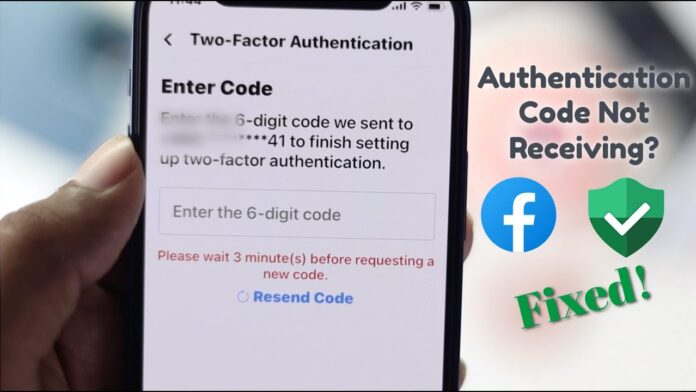
In the age of social media, few platforms hold as significant a place as Facebook, connecting billions across the globe. But what happens when this digital bridge experiences a hiccup? For many iPhone users, one common source of frustration lies in the repeated requests for verification codes. these unexpected interruptions can disrupt your scrolling and leave you fumbling for solutions. In this article, we will explore the intricacies of this issue, offering practical tips and troubleshooting techniques to help you regain seamless access to your Facebook account.Whether you’re a casual user or a social media aficionado, understanding how to tackle these verification code requests will empower you to navigate the platform with ease and confidence.Let’s delve into the world of Facebook troubleshooting and reclaim your online experience!
Understanding the Verification Code Request Dilemma
In the realm of digital connectivity, the verification code acts as a gatekeeper, ensuring that only you can access your Facebook account. However, there are times when this security measure turns into a repetitive hurdle, causing frustration for many iPhone users. The essence of the dilemma often lies in several factors: the device settings, network issues, and account security protocols. To navigate through this challenge, one must first examine the deviceS text message settings and ensure that notifications from Facebook are enabled. If your device is blocking texts,it’s likely you won’t receive the crucial codes needed for verification.
moreover, network connectivity plays a pivotal role in receiving these codes promptly. Whether you’re using Wi-Fi or mobile data, intermittent connectivity can lead to missed messages. It’s beneficial to check your signal strength and test different networks if possible. In some cases, a simple reset of your network settings can work wonders. To power your troubleshooting efforts, consider the following tips:
- Check for App Updates: Ensure that your Facebook app is up to date to avoid bugs.
- Disable VPNs: If you’re using a VPN, it’s wise to disable it temporarily, as it might interfere with receiving texts.
- Reinstall the App: Sometimes a fresh installation can resolve persistent issues.
Common Causes for Frequent Verification Code Prompts
Frequent prompts for verification codes on Facebook can stem from several underlying issues that may affect your iPhone. One common cause is incorrect login attempts. If you or someone else repeatedly enters the wrong password, Facebook may interpret this as a potential security threat, thereby triggering the need for additional verification. Additionally, using a new device, changing your internet connection, or even clearing your browser’s cache can make Facebook ask you for a verification code to ensure it’s truly you trying to access your account.
Another frequent reason behind these annoying prompts is linked to account security measures. Facebook is designed to safeguard user accounts against unauthorized access. If the platform detects a login attempt from an unusual location or device, it may request a verification code. Moreover, enabling features like Two-Factor Authentication adds another layer of security, but it can lead to repeated prompts for verification codes especially if your iPhone is facing connectivity issues or if there are problems with your authentication app.To help you understand better, see the table below summarizing these causes:
| Common Causes | Details |
|---|---|
| Incorrect Login Attempts | Repeated wrong password entries trigger security checks. |
| New Device or Location | Accessing from unfamiliar or new devices locations. |
| Two-Factor Authentication | Added security can increase verification code requests. |
| Connectivity Issues | Problems with your internet can disrupt verification. |
Step-by-Step Guide to Adjusting Facebook Settings
Adjusting your Facebook settings can help improve your account’s security and user experience, especially when dealing with repeated verification code requests on your iPhone. Start by opening the Facebook app or website and navigating to the Settings & Privacy section. Here, you’ll find various options to customize your account. Consider the following adjustments:
- Security and Login: Review your active sessions and log out of any unfamiliar devices.
- Two-Factor Authentication: Enable or modify the existing two-factor authentication to add another layer of security.
- Privacy Settings: Configure who can see your posts and send you friend requests, wich may reduce unwanted access requests.
After fine-tuning your settings, it might be beneficial to update your recovery options to ensure you can regain access with ease. Go to the Account Settings, were you can provide updated email addresses and phone numbers for recovery. Also, consider periodically checking your logged-in devices to promptly mitigate any suspicious activity. You can visualize your settings adjustments using the following table:
| Setting | recommendation |
|---|---|
| Active Sessions | Log out of unfamiliar devices |
| Two-Factor Authentication | Activate for added security |
| Recovery Options | Update email and phone number |
Exploring iPhone Privacy Settings and Their Impact
Understanding and managing privacy settings on your iPhone can significantly influence how apps like Facebook communicate with you. Often,repeated requests for verification codes can stem from privacy settings that restrict the app’s access to essential information.By fine-tuning these settings, users can potentially alleviate redundant verification prompts. Some key settings to consider include:
- Location Services: Ensure that Facebook has permission to access your location if you’re using location-based features.
- Background App Refresh: Allow the Facebook app to refresh in the background, enabling it to stay updated and function correctly.
- Data Sharing: Adjusting data sharing preferences can minimize disruptions in connectivity and enhance user experience.
Be mindful that each adjustment you make in your privacy settings can lead to varied outcomes, such as increased performance or potential security risks. to visualize the potential correlation between your various privacy settings and app performance, consider the following table:
| Privacy Setting | Impact on Facebook |
|---|---|
| Location Access | Improves accuracy in targeted ads |
| Notifications | Reduces frequency of prompts |
| Data Sharing | Enhances personalization |
Clearing Cached Data to Resolve Verification Issues
In certain specific cases, persistent issues with verification codes can stem from cached data on your device. This data can prevent the Facebook app from functioning correctly, leading to repeated requests for verification codes. To clear this cached data, start by navigating to your iPhone settings. From there, locate the Facebook app within your list of applications. After selecting the app, look for the option that allows you to clear the cache or data.Clearing the cache often refreshes the app’s stored data and helps to resolve any underlying bugs that might be causing these verification prompts.
If the problematic verification requests persist after clearing the cache, consider uninstalling and reinstalling the Facebook app entirely. This action ensures that any corrupt files or settings are removed,giving you a fresh start with the application. To do so, press and hold the Facebook app icon until you see the option to delete it. Once deleted, head over to the App Store to download it again. By following these steps, you can significantly reduce the chances of facing similar verification issues in the future.
When to Seek Help from Facebook Support
Experiencing a flood of verification code requests can be frustrating and may indicate underlying issues that need professional assistance.If you’ve attempted common troubleshooting steps, such as clearing your app cache, updating your facebook app, or even reinstalling the application, and still find yourself in a loop of requests, it might be time to reach out for help.When persistent problems prevent you from accessing your account, especially if you’re receiving codes for an account you didn’t try to access, it’s essential to take this seriously and consider contacting support.
Some situations likely warrant a direct line to Facebook support, including:
- Account Lockout: If you are locked out of your account and unable to recover it using standard recovery options.
- security Concerns: Any signs of unauthorized access or unusual behavior on your account.
- Technical Glitches: Bugs that haven’t resolved after extensive troubleshooting efforts.
- verification Code Confusion: Receiving verification codes without attempting to log in or when your login activity appears legitimate.
Utilizing the Contact Support feature in your settings can streamline the reporting process. You’ll find a form where you can specify the nature of your issue, including any error messages or symptoms you’re experiencing. This information is critical for the support team to diagnose the problem effectively.
Preventive Measures for Future Verification Troubles
Taking steps to secure your Facebook account can significantly reduce the chances of encountering repeated verification code requests. Here are some effective practices to consider:
- Use a Strong Password: Create a unique and robust password that combines letters, numbers, and special characters. Change it periodically to enhance security.
- Enable Two-Factor Authentication: This adds an extra layer of security by requiring a second form of verification beyond just your password.
- Keep Your Account Information Updated: Regularly review and update your email address and phone number associated with your account to ensure you can always access recovery options.
- Log Out of Devices: If you use Facebook on multiple devices, be sure to log out of those you do not frequently use to prevent unauthorized access.
Additionally, consider monitoring your account’s login activity to catch any suspicious behavior. Facebook allows you to view the places and devices your account is accessed from:
| Activity | Status |
|---|---|
| Last Login | Today, 1:45 PM |
| New Device Login | Not Detected |
| Suspicious Activity | None Reported |
regular checks can help you stay informed about your account’s security status and take immediate action if anything seems off.
User Testimonials: Real experiences with Verification Codes
Many users have faced challenges with the constant request for verification codes on their iPhones while using Facebook. One user, Emily, shared her experience: “I was locked out of my account for days because I kept getting texts for verification that never arrived.It was frustrating and made me question the security of the platform!” However, after researching and trying a few troubleshooting steps, she discovered that updating her phone’s settings for messages and ensuring her number was correctly linked to her account made a significant difference.
Another testimony comes from Mark, who found a practical solution amidst the confusion: “I decided to use the backup codes provided by Facebook and saved them in a secure note. This way,even when I had issues receiving texts,I could still access my account.” Both Emily and Mark emphasize the importance of checking notification settings and ensuring your contact information is up-to-date. Here are some tips they recommend:
- Check SMS settings and ensure you’re not blocking Facebook.
- Verify that your phone number is correct in your account settings.
- Use backup codes saved securely for emergencies.
- Consider using an authenticator app for additional security.
Final Thoughts on Maintaining Account Security and Access
In the digital age, ensuring the security of your facebook account goes beyond just a strong password. Regularly updating your security settings can be beneficial in preventing unauthorized access. Consider implementing the following strategies to enhance your account safety:
- Two-Factor Authentication: Activate this feature to add an extra layer of verification beyond your password.
- Review Trusted Contacts: Set up trusted friends who can help you regain access if you get locked out.
- Check Login Alerts: Enable notifications for unrecognized login attempts; this helps you act quickly if something seems off.
Additionally, you should routinely audit your linked devices and sessions. This involves examining any devices that have accessed your account recently and reviewing their associated locations. By staying vigilant and proactive about your account activities, you minimize the chances of falling victim to phishing scams or data breaches.
| Best Practices | Description |
|---|---|
| Change password Regularly | Keep your password fresh to deter potential hackers. |
| Monitor App Permissions | Limit access to your account by reviewing third-party app permissions. |
| Educate yourself | Stay informed about evolving online threats and scams. |
Q&A: Troubleshooting Facebook – Handling Repeated Verification Code Requests on Your iPhone
Q1: Why am I receiving repeated verification code requests from Facebook?
A: Receiving multiple verification code requests can be a sign of a few things. Most commonly, it happens due to failed login attempts, either by you or possibly by someone else.It can also occur if your app settings or phone configurations need to be refreshed. If you have recently changed your password or tried to log in from a new device, facebook might be taking extra precautions to verify your identity.
Q2: What can I do to stop Facebook from sending me so many verification codes?
A: Start with some basic troubleshooting. First, ensure that you are using the correct login credentials. Check your internet connection to see it’s stable and reliable. If you’re sure everything is correct, try logging out of Facebook fully. Then,clear your app cache (if applicable) and reinstall the app. This may reset any problematic settings that could be causing unneeded code requests.
Q3: Is it safe to ignore these code requests if I haven’t been trying to log in?
A: Ignoring these verification requests isn’t advisable, especially if you haven’t attempted to log in. They could indicate that someone else is trying to access your account. To protect your information, monitor your account for any suspicious activity. If you find any unauthorized logins or changes, change your password immediately and enable two-factor authentication for added security.
Q4: How do I enable or adjust two-factor authentication on Facebook?
A: To enable or adjust two-factor authentication, open the Facebook app on your iPhone. Navigate to ‘Settings & Privacy’, then select ‘Settings’. Look for ‘Security and Login’ and then find ‘Use two-factor authentication’. You can opt to receive codes via SMS or a third-party authentication app, which may decrease the frequency of unnecessary verification requests.
Q5: What if I’ve tried everything, but I still receive these codes?
A: If you’re still facing issues, consider reaching out to Facebook’s support.Visit the ‘Help Center’ on the app or website, and describe your problem. Be prepared to verify your identity if needed.Sometimes, a bug or temporary issue might potentially be at play, and they can guide you further in resolving it.
Q6: Are there other common problems related to Facebook verification codes on iPhones?
A: Yes, several users have reported issues stemming from incorrect time settings or syncing issues that affect receiving SMS. Ensure your iPhone’s time zone is set correctly,preferably to “Set automatically”. If you are using an authentication app,double-check that it is functioning properly and synced with your Facebook account.
Q7: How can I prevent this issue from happening in the future?
A: To minimize future inconvenience, consider keeping your Facebook app updated to the latest version, as updates frequently enough include bug fixes and improvements. Regularly review your account’s security settings, and be cautious with app permissions and logins on unfamiliar devices or public Wi-Fi networks. Consistent maintainance can help keep your account secure and smooth your login experiences.
In a world where digital connections enhance our daily lives, encountering hiccups on platforms like Facebook can be frustrating. However, by staying informed and equipped with the right strategies, you can navigate through the maze of verification code requests with confidence. Remember, technology is meant to serve us, not hinder us. If you find yourself grappling with repeated verification requests on your iPhone, don’t lose hope—there are solutions waiting just a click away.
As you take the next steps in troubleshooting, whether it’s checking your settings, ensuring your app is up-to-date, or reaching out to support, know that you’re not alone in this digital journey. With each challenge comes an opportunity to learn more about the tools that keep us connected. So, empower yourself to tackle these issues, and reclaim your access to the vibrant community that Facebook offers. With patience and the right approach,you’ll be back to sharing updates and connecting with friends in no time. Happy troubleshooting!
